Signing in and out
Setting up your account for the first time
You will need a registered account to access Netstream. Your local Retailer Admin can register new accounts for your organisation using the Admin > User Accounts screen.
After your account is registered you will receive an email from Microsoft with the subject line Smart Building Services Pty Ltd invited you to access applications within their organization.

Please review the contents of the email and, if you agree with the terms, click Accept invitation.

Next you will be redirected to the create account screen where you will be asked to create a password for your account and to verify your email address is valid.

Set up your password:

Verify your email address:


Review and accept the permissions. This allows Netstream to read certain information about you as a user. Your credentials are stored in the Microsoft Identity Platform.

Signing in
Open your browser to the Netstream portal. If you are not already signed in then you will be directed to Microsoft sign-in page to do so.

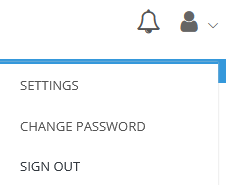
For security reasons you should sign out of Netstream when you are finished by clicking on the Person menu item and selecting Sign Out.
Changing your password
At the right of the main menu, click the person icon then Change Password. You will be stepped through a number of Microsoft screens to change and verify your password.